Design systems · Product exploration
Bringing a concept to life with AI design tools
Exploring how AI could help me turn an idea and a visual direction into a consistent app.
After reading Aristotle’s Nicomachean Ethics, I had an idea for an app I wanted to use myself: something to take me through its ideas in a digestible way and help me put them into practice.
It also seemed like a good excuse to experiment with generating UI. I had an idea of the experience I wanted. How quickly could I make it tangible?
Designing for a daily practice
I didn’t want to reproduce the book chapter by chapter. I wanted to draw on its ideas and adapt them for modern life, with manageable lessons and opportunities to try things out.
Interaction was important to me. I wanted a place to reflect and write something down, connecting what I was learning with what had happened in my own day.
I also wanted to use nudges from behavioural science: morning and evening push notifications to prompt practice and reflection. The intention was to make it easier to return to the ideas regularly. Whether those nudges help is something to learn through using the app.
Finding the visual direction
I started with Google Stitch. The first attempt gave me a set of screens covering onboarding, a self-assessment, a virtue profile, and daily practice. Having something to look at helped me work out what I liked—and what I didn’t.
The dark green direction felt a bit too Matrix. I wanted something more classic. Taking some inspiration from Hinge, I moved towards black and white.
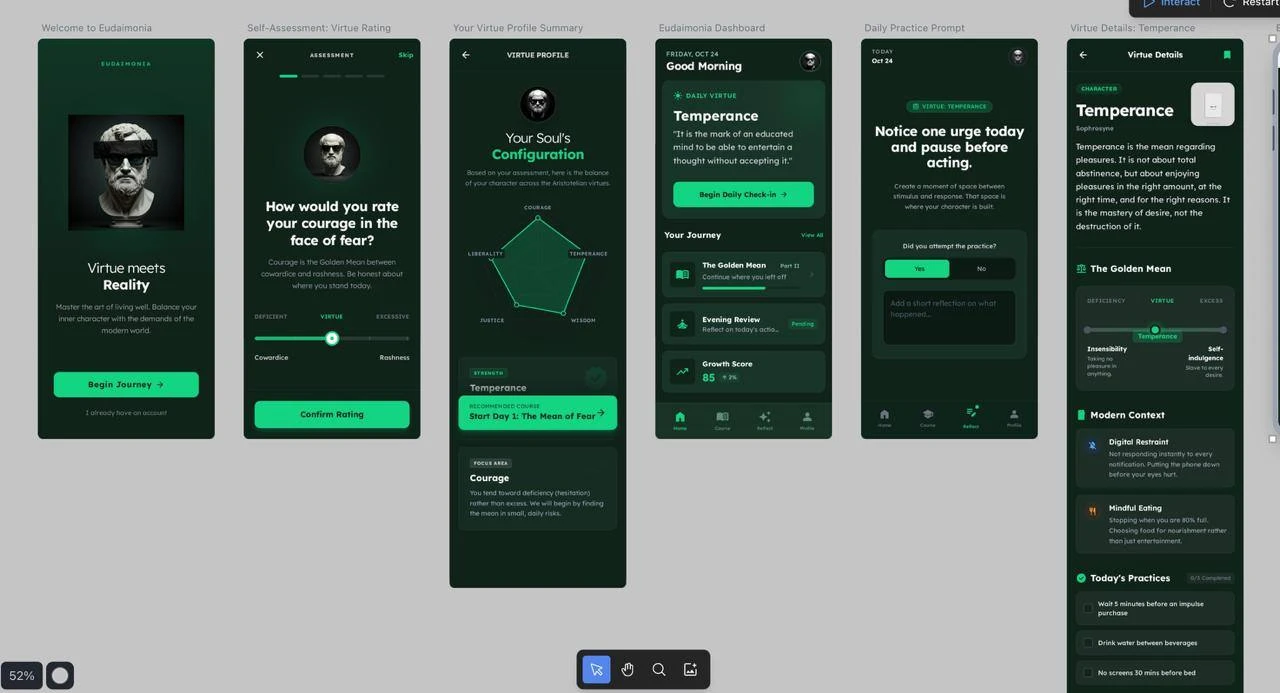
The second attempt got closer to the aesthetic I had in mind. But the screens still didn’t quite belong together. Icons changed, buttons had different treatments, and the navigation wasn’t consistent. The dashboard used Home, Explore, Stats, and Profile; the profile screen used Home, Course, Reflect, and Profile.
I tried updating it many times, but it never quite clicked.
Start with the system
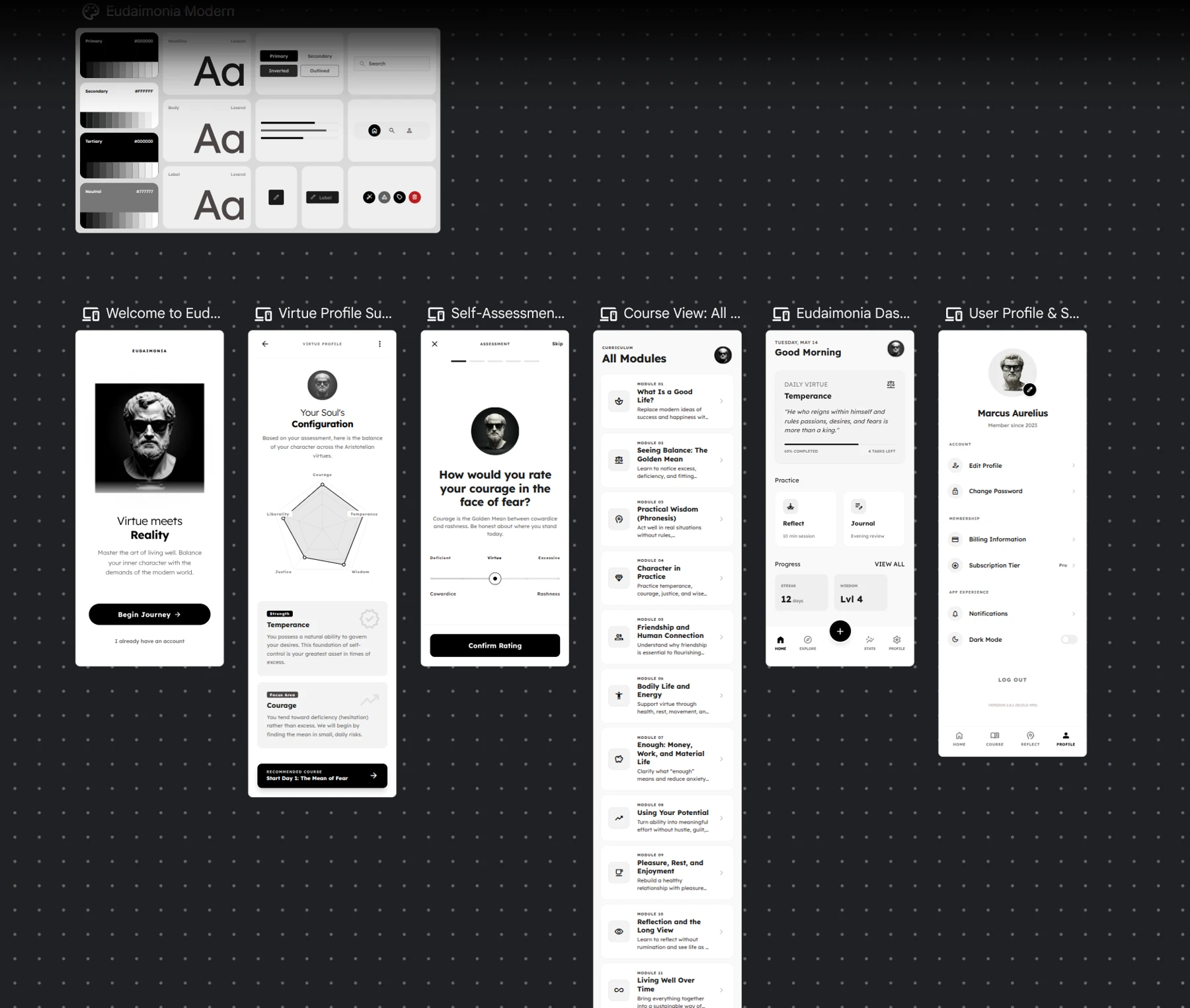
I deliberately moved to Claude Design because I knew it supported design systems. I’ve used design systems at work, so I already valued the principle: solve a recurring design problem once, then reuse that solution everywhere.
I created a comprehensive design system first. Through a back-and-forth discussion about what I was trying to achieve, we established the visual rules and reusable components. I then used that system to bring the earlier Stitch concepts into a consistent set of screens.
The improvement I was happiest with was consistency. The same kind of action looked the same. Navigation used the same icons and destinations. Typography, spacing, cards, and buttons followed shared rules.
Thinking through what happens next
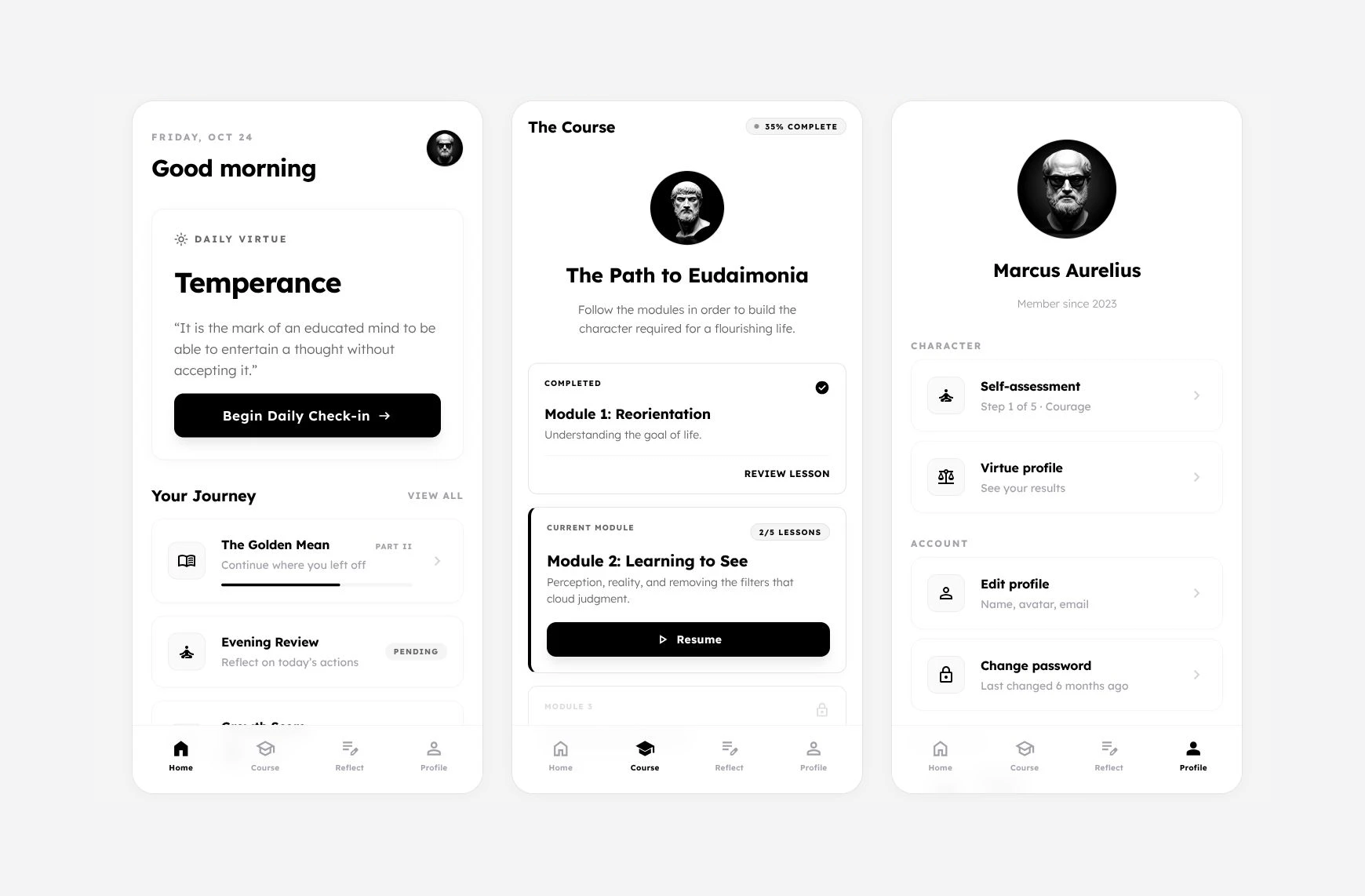
The process also made me work through the journey in detail. Where does someone go after the welcome screen? What happens after an assessment? How do they return to their results, open a lesson, or finish a daily practice?
Laying it out exposed the gaps. Each button needed a destination, and each destination needed to make sense in the wider experience. I wanted to keep things as simple as they needed to be, while still giving someone a complete path through the app.
There was also the everyday scaffolding around that experience: signing in with Google, Apple, or email; deciding what belonged in a profile; changing a password; and updating a profile picture.
Those details took a surprisingly long time to work through. A profile screen raises questions about what someone can edit, what happens when they change a photo, and how they get back to where they were.
A shared system helped me make those decisions without continually revisiting the same visual details.
What made the experiment worthwhile
For me, success was being able to take an idea, lay it out quickly, and get to a visual result I was happy with without needing to bring in a designer for this personal experiment.
I had a sense of what looked and felt right. Claude Design helped me turn that taste into something concrete and reusable. I still needed to set the direction, question the output, and decide whether the experience held together.
The next step is to turn the design into a working app. This is a passion project, but I’d also like to put an interactive prototype in front of a few people and learn how they find the experience before taking it further.